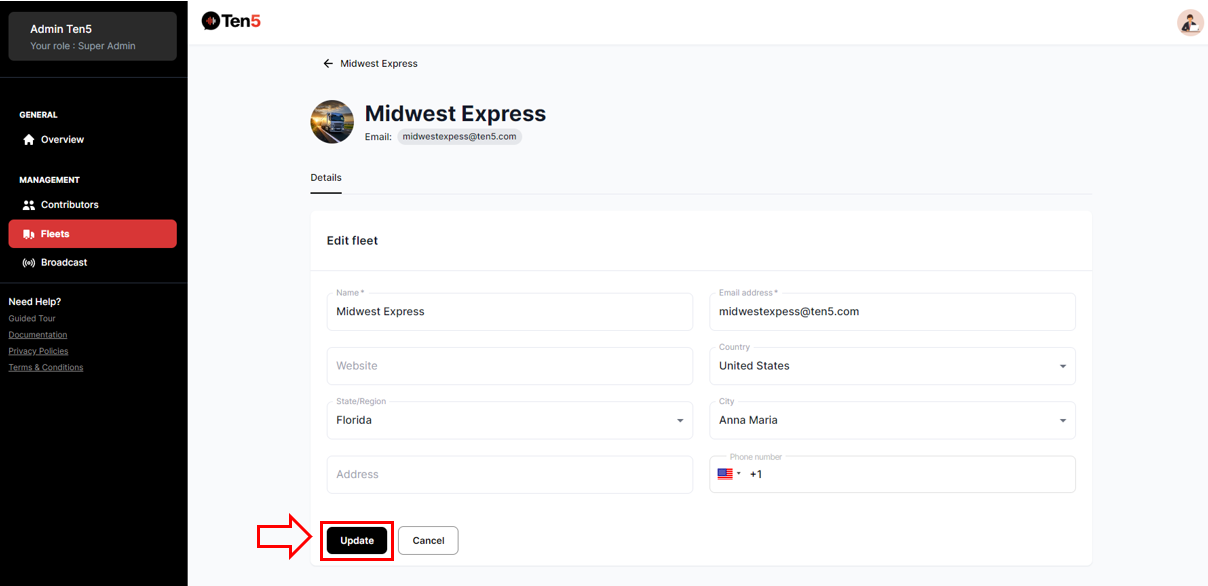
Editing fleet Information
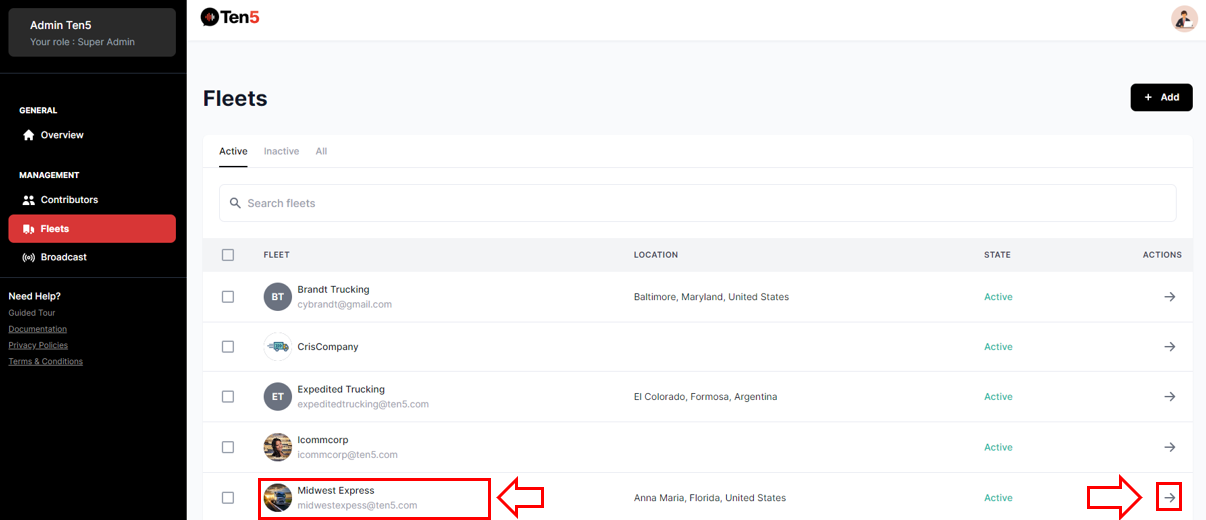
Login as super admin user and on the left side choose the Fleet option. A list of all fleets is displayed. Select the fleet to edit.
You can click on the fleet name or on the action arrow.
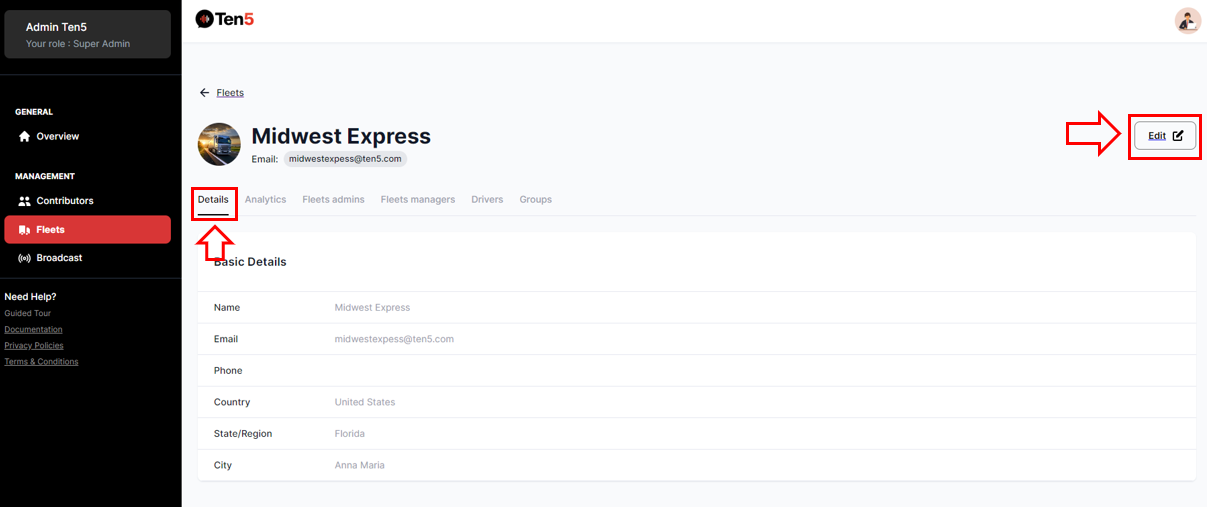
The following page is displayed with the fleet information. Select Details tab and click on Edit button.
The following page is displayed. Edit the fleet information and then click on Update button.